| <-- Previous | Contents Page | Next --> |
The Micro-SD Memory Card
The operating system for the Raspberry Pi is stored on a micro-SD card. This also acts as the computer's permanent file storage (its "hard disk"). You set up the system by using another computer to write the operating system onto the card. That requires a way to connect the card and some software to write data onto it.
My Windows laptop has a slot for reading and writing a Micro-SD card. I push the card firmly into the slot and it appears in the file explorer as “SDHC (D:)” so it’s my D: drive.
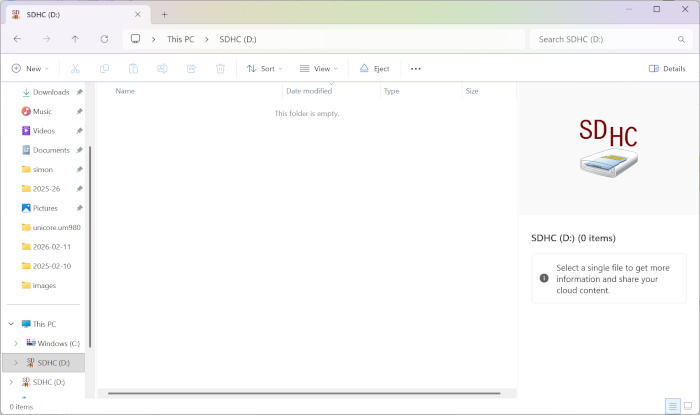
the windows file manager displaying contents of the micro SD card slot
Your computer may instead have a slot for a full-size SD card. In that case, you need to use a converter. These are usually supplied with the card, if not you can buy one separately. Push the micro-SD card into the converter and push the converter into the slot in the computer.
There again, your computer may not have any kind of SD slot, in which case you have to buy a separate writer that plugs into a USB port.
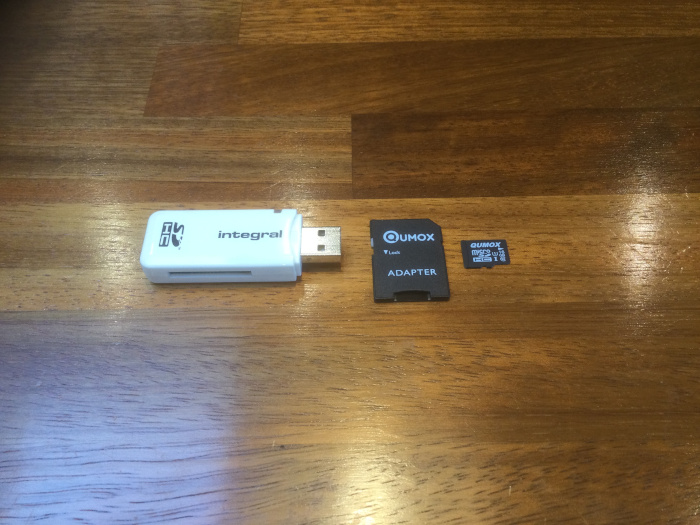
A USB writer, conversion card and micro-SD card
My USB writer only has a slot for a full-size SD card, so I would neeed to use the converter - push the micro-SD card into the converter, push the converter into the USB writer and plug that into the laptop.

USB writer with converter card and micro-SD card inserted
Now the card appears in the file explorer as “USB Drive (D:)”.
| <-- Previous | Contents Page | Next --> |